Best Walking Pads to Use Under a Standing Desk
The WalkingPad C2 is the best under-desk walking pad for its fold-in-half design; the TRAILVIBER adds incline. Five pads compared on height and belt.
- Walking Pad
- Foldability
- Ease Of Use
Evidence snapshot · Updated October 21, 2026
The evidence-backed answer
WalkingPad C2 is our default pick for the scope of this guide: Folds in half to 32.5 inches long for storage. WalkingPad list it at 4.9 inches tall when flat, so check your desk can rise that far above your usual standing height.
Scope: 5 shortlisted products compared using published specifications, owner-feedback signals, value and category-specific performance. 5 comparison entries match our catalog. Retailer rating totals are snapshots, not a count of people whose reviews we independently analyzed. This is research synthesis, not hands-on testing.
The side-by-side comparison below carries each shortlisted product's owner rating, price context, pros, cons and buy state in one actionable view.
How GymScored is paid: Amazon Associates commission plus brand-direct affiliate (Rogue / REP / Titan when approved). No sponsored placements, no paid reviews, no pay-to-rank. Picks are ranked by the Gym Score formula and nothing else. Read the full disclosure.
WalkingPad C2 for the foldable apartment hero. Sunny Wi-Fi Treadpad for trialling a walking desk at the lowest price. TRAILVIBER if you want incline, or the UREVO CyberPad for heavier walkers. Skip anything claiming to handle running.
| Product | Owner rating | Key specs | Pros | Cons | Price | Buy |
|---|---|---|---|---|---|---|
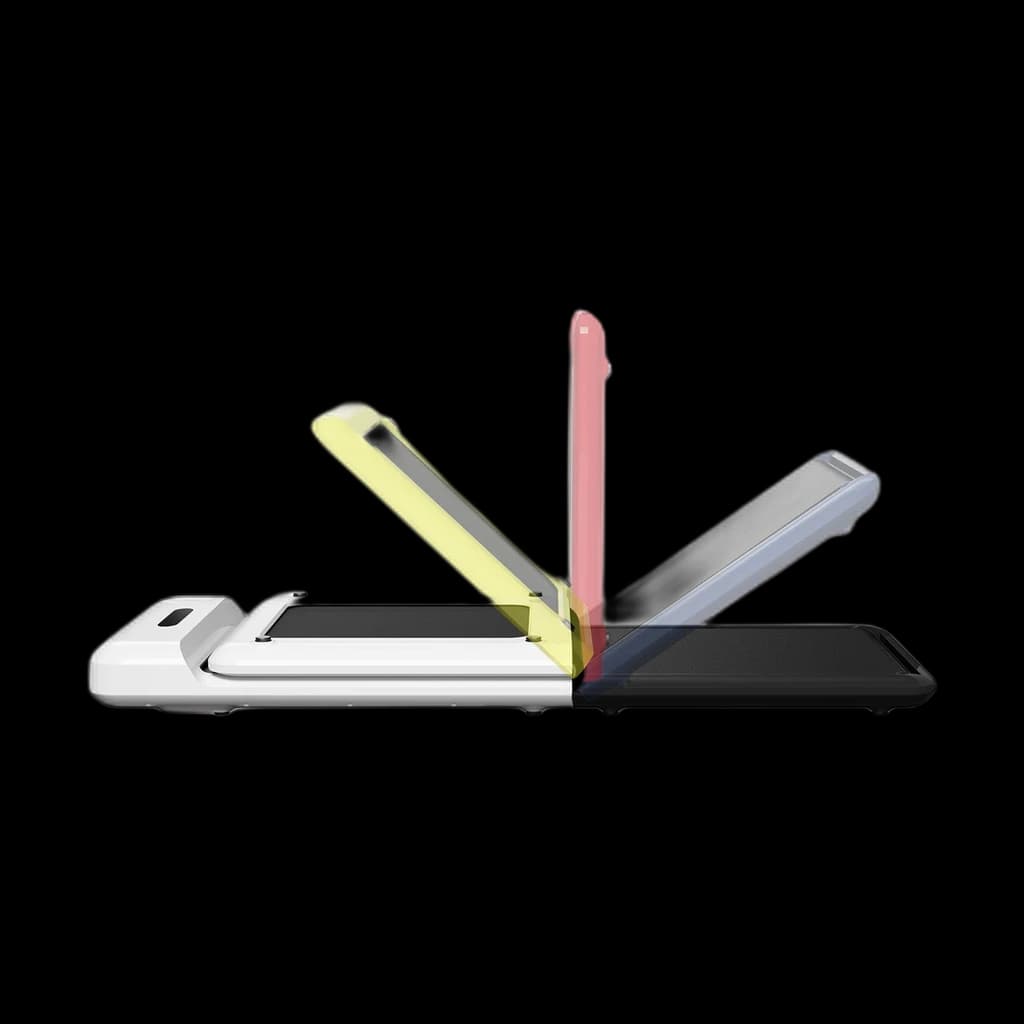 Folds in half for storage and arrives assembled. WalkingPad list it at 4.9 in tall when flat. The apartment standard. | Owner rating Gym Score 73 | Key specs
| Pros
| Cons
| $429.00 | Buy on Amazon |
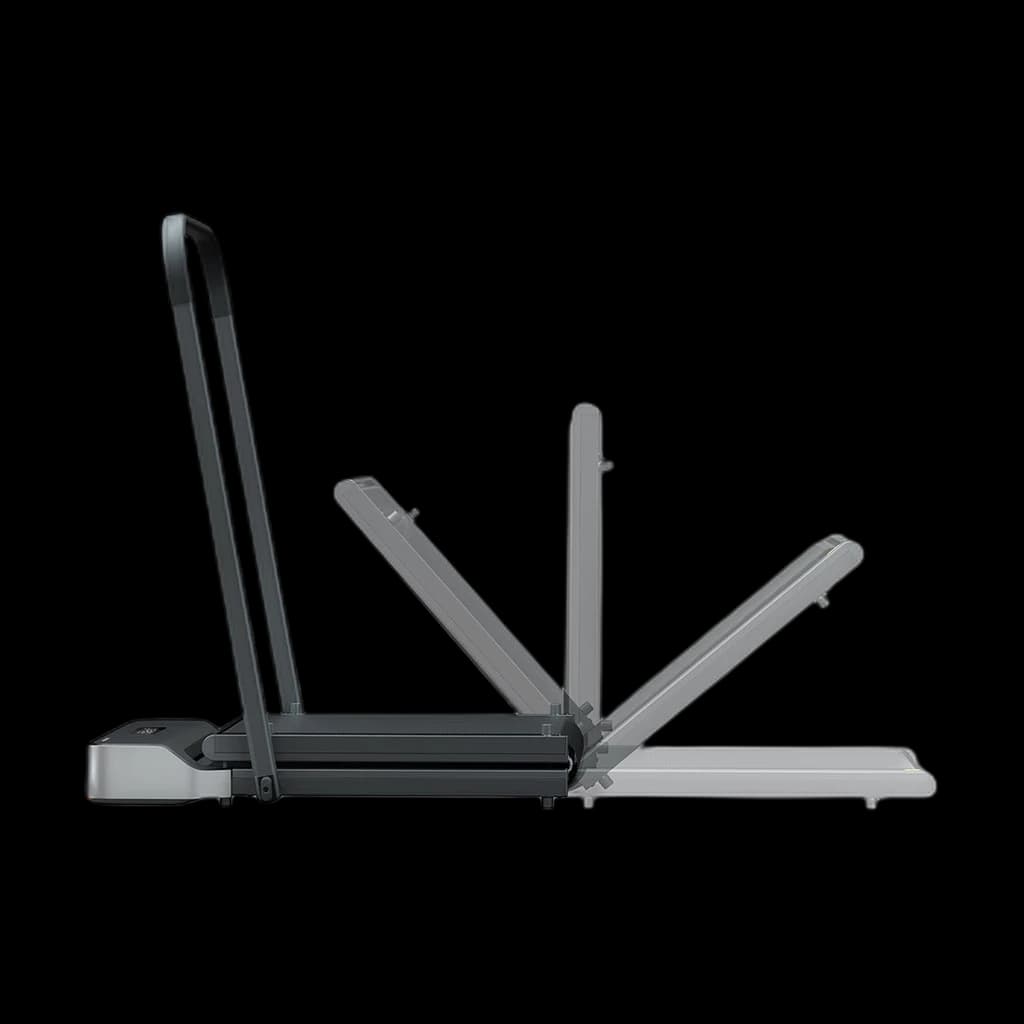 The C2 with a removable handlebar. A near-identical walking area, a slightly higher speed ceiling, and something to hold when you step off a moving belt. | Owner rating Gym Score 74 | Key specs
| Pros
| Cons
| — | Check on Amazon |
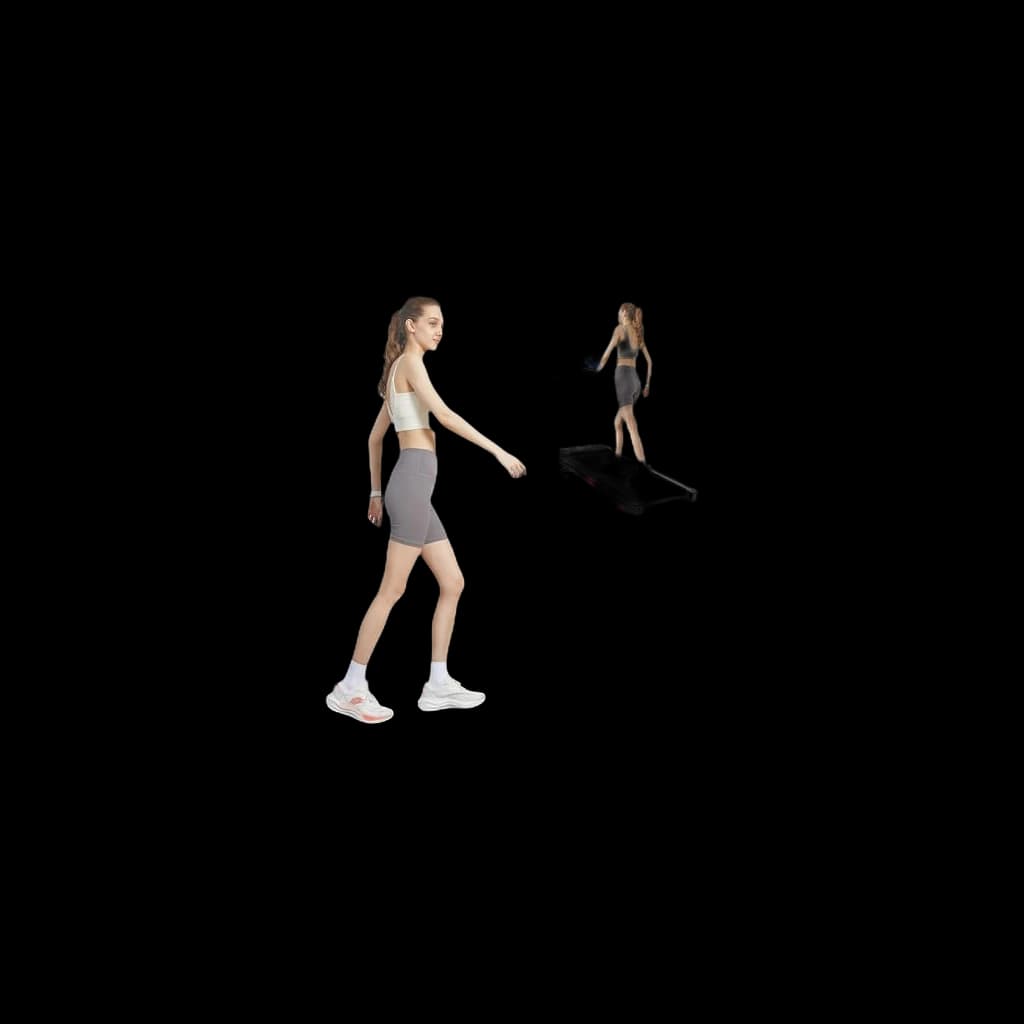 One of two pads here with a powered incline. TRAILVIBER state nine levels to 12%, which raises intensity without raising speed — the thing that matters when you are typing at the same time. | Owner rating Gym Score 76 | Key specs
| Pros
| Cons
| $335.25 | Buy on Amazon |
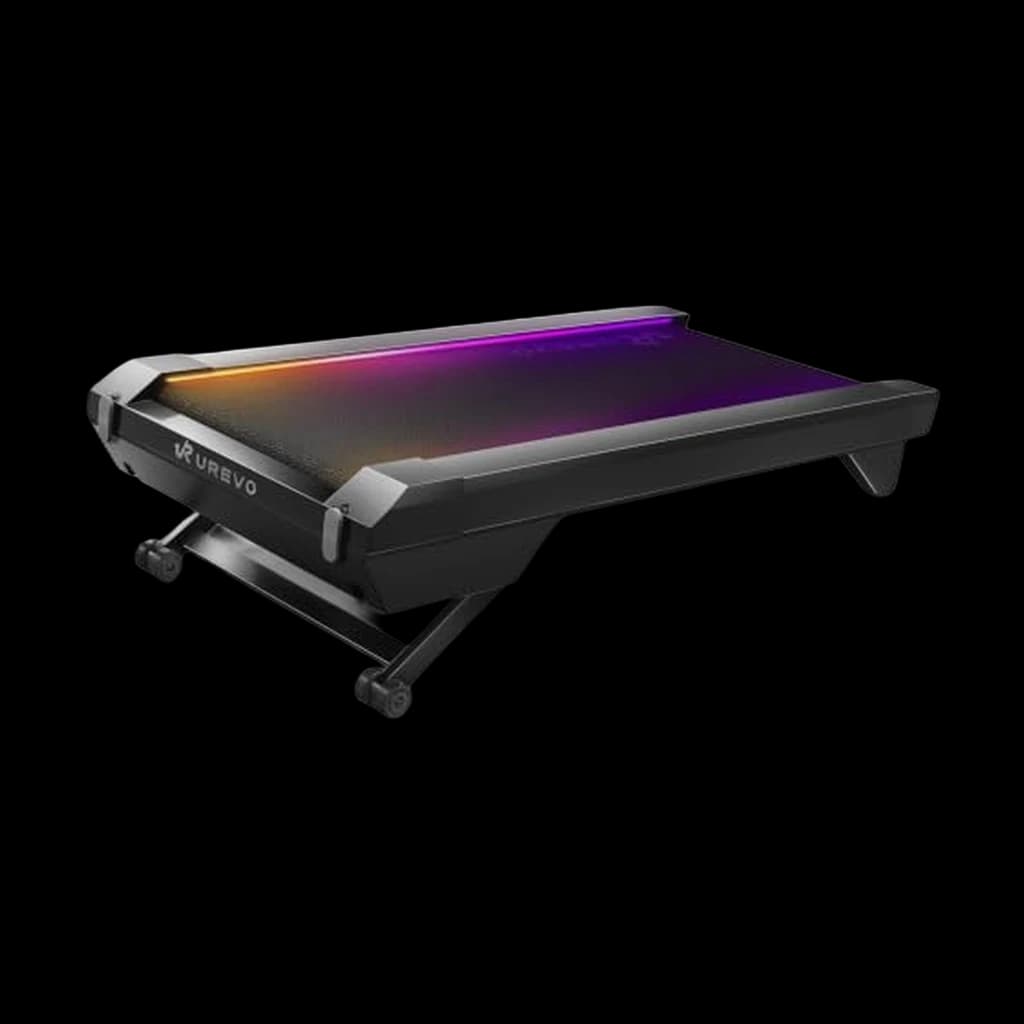 The heavy-duty incline pad: a 400 lb capacity, auto incline to 14% and a brushless motor UREVO rates at about 35 dB. It does not fold; it stores upright on its wheels. | Owner rating Gym Score 72 | Key specs
| Pros
| Cons
| $429.99 | Buy on Amazon |
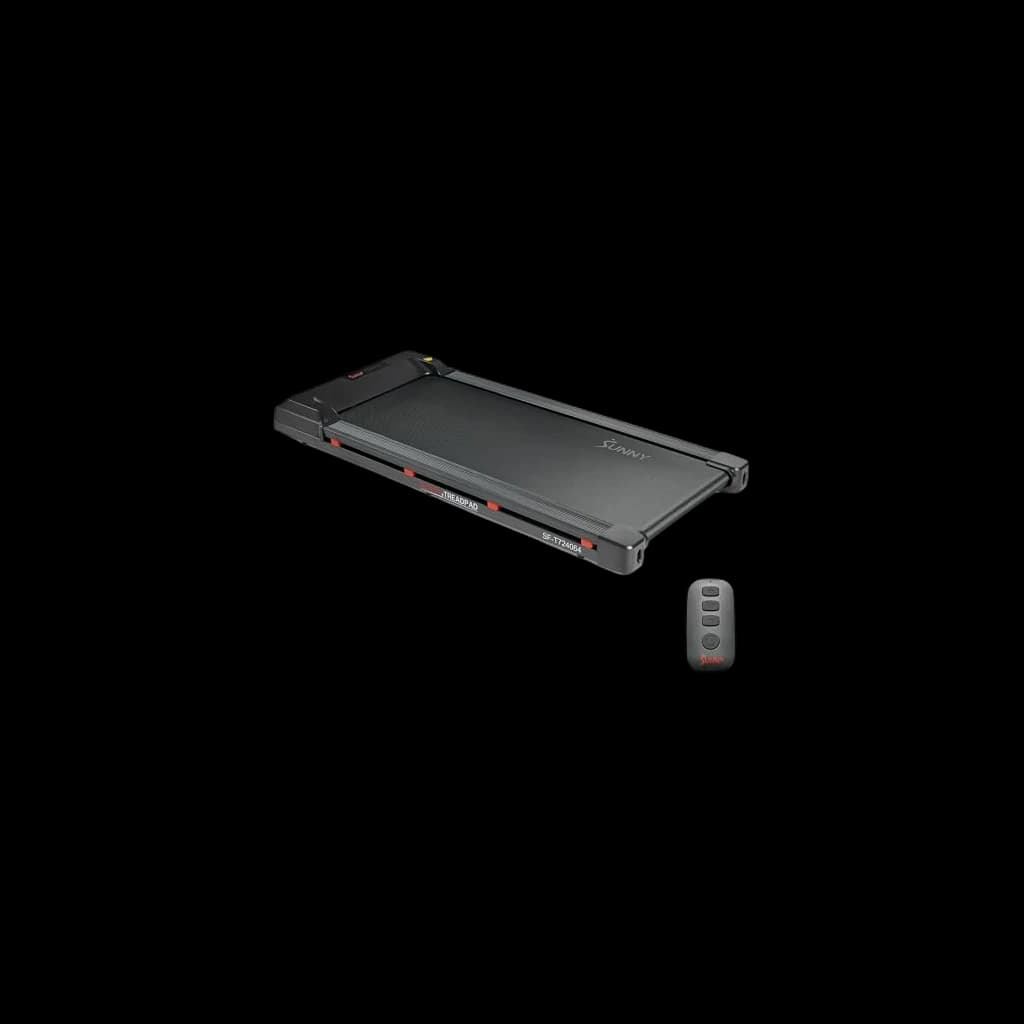 A flat, fully assembled pad from an established US maker. Sunny states 0.5-3.7 mph, a 245 lb capacity and a 4.3-inch height, with Wi-Fi and Bluetooth to the SunnyFit app. | Owner rating Gym Score 704.2 on Amazon from 159 ratings (2026-10-21), just under our 4.3 floor; kept as a stated exception. | Key specs
| Pros
| Cons
| $299.99 | Buy on Amazon |
Amazon prices checked Oct 17, 2026. Amazon prices change often — the listing is authoritative.
Walking pad spec comparison
Belt size, speed ceiling, incline and capacity as the Amazon US listings and manufacturers state them, re-checked 2026-09-13; the CyberPad and Sunny rows were added from the makers' pages on 2026-10-21. Not stated means neither source publishes it.
| Product | Belt Size | Max Speed | Incline | Stated Capacity | Storage |
|---|---|---|---|---|---|
| WalkingPad C2 | 47.2 x 15.7 in | 4 mph | None stated | 220 lb | Folds in half |
| WalkingPad Z1R | 47.6 x 15.7 in | 5 mph | None stated | 242 lb | Folds, removable handlebar |
| TRAILVIBER Walking Pad with Auto Incline | Not stated | 4 mph (listing) | 9 auto levels to 12% | 450 lb | Folding not stated |
| UREVO CyberPad 14% Auto-Incline Walking Pad | 39.4 x 16.5 in | 4 mph | Auto, 0-14% | 400 lb | Does not fold; stores upright |
| Sunny Health & Fitness Wi-Fi Treadpad | 39.8 x 16.1 in | 3.7 mph | None stated | 245 lb | Folding not stated |
Pick by situation
Decide by your situation, not the generic ranking.
| If | You want | Pick |
|---|---|---|
| Around $300 | Anyone testing whether a walking desk fits their working day before committing real money | Sunny Health & Fitness Wi-Fi Treadpad |
| $300-$500 | Standing desk users in apartments who need the pad to disappear between sessions | WalkingPad C2 |
| Incline instead of speed | Walkers who want more effort without typing at a faster pace | TRAILVIBER Walking Pad with Auto Incline |
Fit check
Fold-in-half storage, lowest price or incline?
Pick the one thing that matters most, then optionally enter your desk and body numbers. You get at most three pads, each with the reason it is on the list, and only pads whose published specs clear your numbers count as a fit.
1. What matters most?
2. Optional: check it fits you
Clearance maths: the desk has to reach your usual typing height plus the pad's height. Checked at 0% incline; incline raises the front further.
Fold-in-half storage
WalkingPad C2 Foldable
Folds in half to 32.5 in long and 5.4 in tall, the shortest folded length here. Its 220 lb stated capacity is the lowest on the shortlist.
$429.00Buy on AmazonWalkingPad Z1R
Also folds in half, to 49.2 in long, and adds a removable handlebar and a 5 mph top speed with a 242 lb stated capacity. Its flat height is not published, so desk clearance cannot be verified.
Lowest price
Sunny Health & Fitness Wi-Fi Treadpad
The lowest-priced pad here on 2026-10-21: flat, fully assembled and 4.3 in tall, with a 245 lb stated capacity and a 3.7 mph top speed.
$299.99Buy on AmazonTRAILVIBER Walking Pad with Auto Incline
Costs more, but it is the cheaper of the two powered-incline pads and has the highest stated capacity, 450 lb.
$335.25Buy on Amazon
Incline
TRAILVIBER Walking Pad with Auto Incline
Powered incline from 0 to 12% in 9 levels and a 450 lb stated capacity. It is the tallest pad here, 6 in on the Amazon listing, so check desk clearance first.
$335.25Buy on AmazonUREVO CyberPad 14% Auto-Incline Walking Pad
The steepest grade here, auto incline to 14%, and a 400 lb stated capacity. At 6.3 in it is the tallest pad on the list and does not fold, so measure your desk first.
$429.99Buy on Amazon
| Model | Storage | Height flat | Max user | Belt | Speed | Incline |
|---|---|---|---|---|---|---|
| WalkingPad C2 Foldable | Folds in half to 32.5 x 20.4 x 5.4 in | 4.9 in | 220 lb | 47.2 x 15.7 in walking area | 1-4 mph | None stated |
| WalkingPad Z1R | Folds in half to 49.2 x 23.2 x 5.5 in; removable handlebar | Not stated (37.9 in with handlebar fitted) | 242 lb | 47.6 x 15.7 in walking area | 1-5 mph | None stated |
| TRAILVIBER Walking Pad with Auto Incline | Folding not stated | 6 in (Amazon) / 4.8 in (TRAILVIBER) | 450 lb | Not stated | 0.7-4 mph (Amazon) | 0-12%, 9 auto levels |
| UREVO CyberPad 14% Auto-Incline Walking Pad | Does not fold; stores upright on its wheels | 6.3 in (UREVO) | 400 lb | 39.4 x 16.5 in running area | 0.6-4 mph | 0-14%, auto |
| Sunny Health & Fitness Wi-Fi Treadpad | Folding not stated; ships fully assembled | 4.3 in (Sunny) | 245 lb | 39.8 x 16.1 in deck | 0.5-3.7 mph | None stated |
Sources: WalkingPad C2 Foldable: WalkingPad spec table + Amazon listing · WalkingPad Z1R: WalkingPad spec table + Amazon listing · TRAILVIBER Walking Pad with Auto Incline: Amazon listing + TRAILVIBER product page · UREVO CyberPad 14% Auto-Incline Walking Pad: UREVO product page + Amazon listing · Sunny Health & Fitness Wi-Fi Treadpad: Sunny product page + Amazon listing. Checked 2026-10-21. We do not test these pads.
Which walking pad is best under a standing desk?
The WalkingPad C2 is the best under-desk walking pad for most people: it folds in half to 32.5 inches for storage, stands 4.9 inches tall when flat, and is rated for users up to 220 lb. The WalkingPad Z1R adds a handlebar, the TRAILVIBER is the one to buy for incline, the UREVO CyberPad is the heavy-duty incline step up, and the Sunny Wi-Fi Treadpad is the cheapest way to find out whether you will use one at all.
- The WalkingPad C2 is the apartment hero. It folds in half to 32.5 inches long for storage; at 4.9 inches tall when flat, check your desk can rise to cover it.
- The Sunny Wi-Fi Treadpad is the value answer. The lowest-priced pad here on 2026-10-21 and the lowest at 4.3 inches tall, per Sunny, fully assembled with a 245 lb capacity. It is walking only (3.7 mph), and at 4.2 stars on 159 ratings it is a stated exception to our 4.3 floor.
- Walking pads are not running machines. Speed ceilings sit between 3.7 and 5 mph by design. The motor and deck are not rated for impact above a brisk walk.
- Walking pads do not meaningfully aid weight loss. The energy-expenditure delta is small and tends to get offset. They aid focus, sedentary-time reduction, and mood — not the scale.
- Pad height adds to your typing height. Your desk has to rise by the pad's height above your usual standing setting, and the fit check runs that sum for each pad.
Our pick
Folds in half to 32.5 inches long for storage. WalkingPad list it at 4.9 inches tall when flat, so check your desk can rise that far above your usual standing height.
How do the five picks compare?
| Pick | Who it is for | Key spec | Price |
|---|---|---|---|
| WalkingPad C2 — best overall | Apartments that need the pad stored away | Folds in half; 47.2 x 15.7 in walking area; 220 lb stated capacity | $429.00 |
| WalkingPad Z1R — best with a handrail | Less steady walkers who want a grab point | Handlebar; 5 mph ceiling; 242 lb stated capacity | — |
| TRAILVIBER Auto Incline — best incline | Adding effort without typing faster | 9 incline levels to 12%; 450 lb stated capacity | $335.25 |
| UREVO CyberPad — heavy-duty incline | Heavier walkers who want the steepest grade | Auto incline to 14%; 400 lb stated capacity; does not fold | $429.99 |
| Sunny Wi-Fi Treadpad — best value | Finding out whether you will use one at all | 4.3 in tall; fully assembled; 245 lb stated capacity | $299.99 |
Picks verified 2026-09-01; the CyberPad and the Sunny were added, and the Abonow dropped, on 2026-10-21. Specs were re-checked against the Amazon US listings and manufacturer pages on 2026-09-13; we do not operate a test facility. On 2026-09-23 our former value pick, the UREVO E4W, showed Amazon's "we don't know when or if this item will be back in stock" notice. It was back in stock on 2026-10-09, but at roughly the TRAILVIBER's price without its incline, so it stays off this list, and on 2026-10-21 its listing served a different UREVO pad altogether. Our UREVO E4W review stays up for reference.
Which specs matter most in an under-desk walking pad?
Three specs predict whether a walking pad will actually live under your desk, and none of them is the one the product page leads with.
| Spec | The threshold that matters | Why |
|---|---|---|
| Height when flat | Less than your desk's spare travel | Your desk has to reach your usual typing height plus the pad's height |
| Noise at 2 mph | Under 50 dB | Sustained background noise is what wrecks a call, and pads run for the whole workday |
| Belt length | 47-50 in (50+ for 6'2" users) | Belts under 45 in force a shorter, choppier stride that gets uncomfortable in hour two |
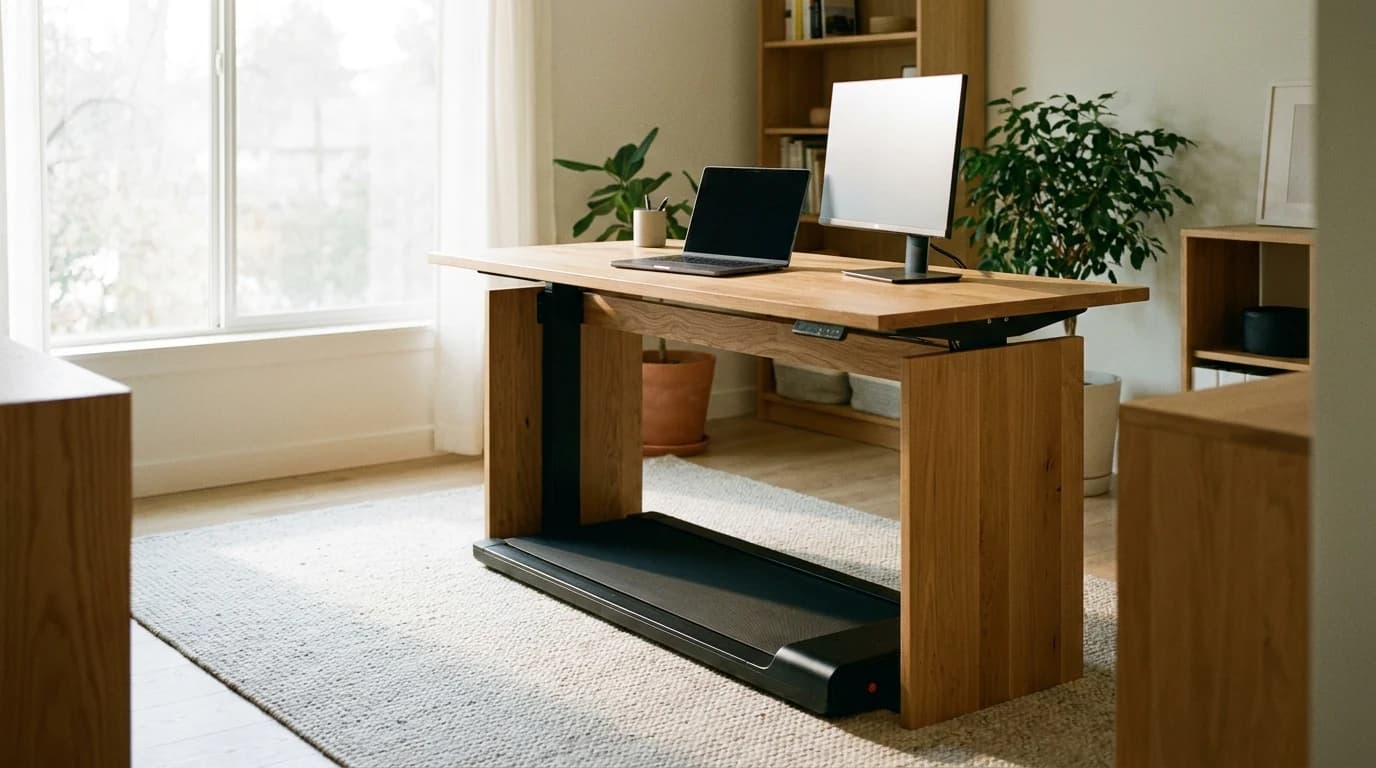
Thickness is the spec that decides whether you can type at all
Add the pad's height to the desk height you type at standing on the floor, and compare the total with your desk's maximum. A desk that rises to 48 inches with a 42-inch typing height leaves 6 inches: enough for the Sunny (4.3 in), the C2 (4.9 in) and the TRAILVIBER (6 in on its listing), but not the 6.3-inch CyberPad. A desk that rises to 46 inches leaves 4, which no pad here clears. That is the Cornell CUErgo elbow guideline doing the constraining, not the pad's spec sheet.
Noise is the spec marketing pages bury
Walking pads run for the full workday, meetings included. Noise is almost never quoted at the speed you will actually use.
The trap: a pad advertised at "45 dB" is usually quoted at its slowest setting, not the 2 mph you will walk at all day. Assume the real figure is higher and test it on your first call.
Assembly and controls decide whether it gets used
The pads that stay in service are the ones that need nothing from you: pre-assembled out of the box, a remote so you are not bending under a desk mid-call, and a speed you can nudge without looking. It is a large part of the case for the WalkingPad C2, which arrives assembled and runs from a remote.
The picks, ranked
Worth knowing: every pad below tops out between 3.7 and 5 mph, and only the Z1R has a handlebar. Anything advertised past that on a slab this thin is a motor-failure story waiting to happen.
1. WalkingPad C2 — $429.00 — Best for apartments and tight under-desk fit
The design that made the category. It folds in half to 32.5 inches long for storage, which only it and the Z1R offer here — a flat pad has to live somewhere, and "somewhere" is usually the middle of the room. Remote control keeps the deck clear. WalkingPad state a 47.2 x 15.7 inch walking area, a 220 lb capacity and a 4.9 inch flat height. Cons: no incline, the lowest stated capacity here, and the 15.7-inch belt width is on the narrow side for taller users.
2. WalkingPad Z1R — Best if you want something to hold
A near-identical walking area to the C2 (47.6 x 15.7 inches) with a removable handlebar and a slightly higher stated speed ceiling. The handrail matters more than it sounds: stepping onto and off a moving belt is where most walking-pad stumbles happen. The trade is bulk — the handlebar has to go somewhere when you slide the pad away.
3. TRAILVIBER Walking Pad with Auto Incline — $335.25 — Best for incline
One of two pads here with powered incline: TRAILVIBER state nine levels to 12%, plus a 450 lb capacity. Incline is the one way to make a desk walk harder without making it faster, and speed is exactly what breaks your typing. The cost is height: the Amazon listing gives 6 inches (TRAILVIBER's own page says 4.8), so check your desk clearance before ordering.
No longer ranked: Abonow Walking Pad
The Abonow is no longer ranked: its Amazon listing reads 4.0 stars from 1,316 ratings (2026-10-21), below the rating floor we hold every pick to.
4. UREVO CyberPad 14% Auto-Incline Walking Pad — $429.99 — Best for heavier walkers who want incline
The heavy-duty incline pad. UREVO states a 400 lb capacity, auto incline to 14% and a dual brushless motor it rates at about 35 dB. It does not fold; it stores upright on its wheels. Check two numbers first: at 6.3 inches tall, per UREVO, it is the tallest pad here, and its 39.4 x 16.5 inch running area is shorter than the WalkingPads' belts, which matters for a long stride. Top speed is 4 mph.
5. Sunny Health & Fitness Wi-Fi Treadpad — $299.99 — Best value
A flat, fully assembled pad from an established US maker. Sunny states 0.5 to 3.7 mph, a 245 lb capacity and a 4.3-inch height, the lowest here, with Wi-Fi and Bluetooth to the SunnyFit app. The 1 HP motor and 3.7 mph ceiling make it a walking-only pad, and there is no incline. It reads 4.2 stars on 159 Amazon ratings (2026-10-21), just under the 4.3 floor we hold picks to; we keep it as a stated exception and will re-check it.
How much should you spend on a walking pad?
- Around $300. The Sunny Wi-Fi Treadpad at $299.99 is the honest way to start on a flat pad. The TRAILVIBER at $335.25 is the cheaper of the two powered-incline pads.
- $300 to $500. The WalkingPad Z1R at — and the WalkingPad C2 at $429.00, or the UREVO CyberPad at $429.99 if you need a 400 lb stated capacity or a 14% grade. This is where fold-in-half storage, a settled owner-review base, and a remote that works every time actually live.
- $500 and up. Nothing in this category earns it. If you want to run, put the money toward a real running deck from the treadmill guide.
Does walking while you work actually help?
- Small all-day movement adds up. Levine's work on non-exercise activity thermogenesis (Mayo Clin Proc 2015, PMID 25841254) established that small all-day movement adds up to meaningful daily energy expenditure.
- Sedentary time is independently associated with cardiovascular and metabolic risk, even in people who meet weekly exercise guidelines. Walking pads work by interrupting the sit-all-day pattern, not by replacing structured exercise.
- Work performance is generally preserved during slow walking for most office tasks, per Ben-Ner's year-long treadmill-workstation study (PLoS One 2014, PMID 24586359). Fine-motor precision work takes a small hit; reading, calls, and thinking do not.
- Interrupting sitting changes muscle metabolism, per Bergouignan 2016 (PMID 27554943) — which is an argument for frequency, not for walking eight hours straight.
- Cornell CUErgo's elbow and monitor-height recommendations assume your actual standing height; the pad raises it, which is why height matters as much as belt size.
- The CDC adult guideline is 150 minutes of moderate activity per week, which 2 mph walking comfortably clears across a workday.
What the research does not support: walking pads as a weight-loss intervention. MacEwen's 2015 systematic review (PMID 25681262) finds modest energy-expenditure increases that are typically offset by compensatory eating and reduced after-work activity. Buy for the sedentary-interruption benefit, not the scale.
Why do walking pads break, and how do you make one last?
Durability is the complaint that keeps coming back in r/WalkingPads: belts that will not stay centred, motors that bog down or throw an error code, and new grinding noises, sometimes within weeks. The same few causes sit behind most of those threads.
| Symptom | Usual cause | What the makers say |
|---|---|---|
| Belt drifts sideways | Uneven tension or floor | WalkingPad: quarter-turn clockwise on the rear screw of the side it drifted toward, then watch for 1-2 minutes |
| Belt slips under your step | Stretched belt or dry deck | WalkingPad: both screws half a turn. UREVO: a quarter-turn at a time, until the belt edge lifts about 2-3 inches |
| Still slips after that | Loose drive belt, or oil on it | UREVO: contact support |
| Motor cuts out | Overheat protection | WalkingPad: the C2 shuts off after 2 hours; rest it 15-30 minutes |
Warranties are short. WalkingPad states one year for pads bought on its own store, TRAILVIBER one year, and UREVO two years on urevo.com but generally one year elsewhere. Owners repeatedly describe warranty repairs that take weeks, so a seller with a simple return window matters.
How to make a walking pad last
- Stay under the stated user weight: 220 lb on the C2, 450 lb on the TRAILVIBER.
- Oil under the walking belt with silicone every three months (UREVO: or every 30-50 hours). WalkingPad warns that too much makes the belt slip; see the lubrication guide.
- Adjust tension a quarter-turn at a time. UREVO says a quarter-turn makes a significant difference.
- Break up long sessions so the motor can cool.
- Keep it on a flat, hard floor and vacuum around it: UREVO names dust, carpet fibres and pet hair as a slip cause.
- Store it flat unless the maker says otherwise; cracked covers after upright storage are a recurring r/WalkingPads story.
- Keep the order number and production label. UREVO asks for both, plus a video of the fault, for a claim.
Rule of thumb: oil goes under the walking belt, never on the drive belt. WalkingPad warns that fixing some parts yourself may void the warranty, so call support before opening the motor cover.
What to look for, and what to skip
Specs worth paying for:
- A published flat height, so you can check it against your desk's range before it arrives.
- A remote — bend-down console controls become a constant interruption during calls.
- A 47-inch or longer belt if you are over about 5'10".
- A motor rating that is honest about sustained rather than peak output.
Specs that signal a bad buy:
- Walking pads marketed as treadmills. Top speeds of 6+ mph on a lightweight chassis are a recipe for early motor failure.
- Pads with no published height. You cannot check them against your desk until they arrive.
- Anything claiming 3+ HP under $250. Same peak-versus-continuous game as full treadmills.
How do you set up a walking pad under a desk?
- Set desk height while standing on the pad, not on the floor — elbow at 90 degrees.
- Set monitor height the same way. Top of screen at eye level, measured on the pad.
- Start at 1.5 mph for the first week. Most owners settle around 1.8 to 2.2 mph for sustainable workday walking.
- Drink more water than you would sitting. Sustained walking pulls more fluid than people expect.
How we chose
GymScored ranks walking pads on under-desk fit (thickness, footprint, fold geometry), noise at typical work speed, belt size and motor longevity, control ergonomics, and owner-reported service life. See /methodology for the full rubric. We do not operate a test facility and do not claim hands-on data; rankings synthesize manufacturer engineering specs, peer-reviewed sedentary-work research (Ben-Ner, Bergouignan, MacEwen, Levine), NIOSH and Cornell CUErgo ergonomics guidance, and long-term owner-reported patterns across r/treadmill and r/standingdesks. Listings and prices on this page were re-verified 2026-09-01.
Pair it with the right desk
The thickness math only works if your desk rises to your elbow height plus the pad's height. For desks that hit those numbers, see WFH Lounge's standing desk guide and their buying guide on the eight specs that matter.
For a bigger small-space setup, the free GymScored home gym planner lays out the rest around the desk.
Frequently Asked Questions
Can I run on a walking pad?+
No. The pads here top out between 3.7 and 5 mph by design, and the motor and deck are not built for running impact. If you want to run, buy a treadmill.
How thick is too thick?+
It depends on your desk, not a universal number. Add the pad's height to the desk height you type at when standing on the floor; if that total is more than your desk's maximum height, the pad is too tall for that desk. The fit check on this page runs that sum for each shortlisted pad.
Do walking pads actually help me lose weight?+
Not meaningfully on their own. MacEwen's 2015 systematic review of treadmill and standing desks found small energy-expenditure gains that are easily offset by eating more or moving less after work. Use them for sedentary-time reduction, focus, and mood — not the scale.
What speed should I walk at while working?+
Most owners settle at 1.8 to 2.2 mph. Anything above 2.5 mph affects typing precision for most people. Start at 1.5 mph for the first week to acclimate.
Will a walking pad damage my floors?+
On carpet, generally no, but the pad will compress the pile. On hardwood or vinyl plank, use a mat — vibration over months will scuff finish. The heaviest pad here, the UREVO CyberPad, weighs 63 lb per UREVO, so plan on a mat under any of them.
Is incline worth paying for on a walking pad?+
It is the one upgrade that adds training effect without adding speed, which matters because speed is what breaks your typing. The TRAILVIBER and the UREVO CyberPad are the pads we rank with powered incline (to 12% and 14%, per their makers); the rest are flat.
How long do walking pads typically last?+
No maker publishes a service life, only a warranty: WalkingPad states one year for pads bought on its own store, TRAILVIBER one year, and UREVO two years on urevo.com or generally one year elsewhere. Lubricating under the belt on schedule, keeping the belt tensioned and centred, and letting the motor rest between long sessions are the habits owners most often tie to a pad that keeps running.
How often should you lubricate a walking pad?+
Follow your model's manual. WalkingPad says every three months, and UREVO says every three months or every 30 to 50 hours of use, with silicone oil applied under the walking belt. Too much oil makes the belt slip, and oil on the drive belt makes it slip badly.
Sources & Research
- PubMed — Ben-Ner 2014 — Treadmill workstations: walking while working, physical activity and work performance (PLoS One, PMID 24586359)research
- PubMed — MacEwen 2015 — systematic review of standing and treadmill desks in the workplace (PMID 25681262)research
- PubMed — Bergouignan 2016 — frequent interruptions of sedentary time and muscle glucose uptake (PMID 27554943)research
- PubMed — Levine 2015 — Nonexercise activity thermogenesis in obesity management (Mayo Clin Proc, PMID 25841254)research
- NIOSH — NIOSH ergonomics and musculoskeletal health resource hubauthority
- CDC — Adult Physical Activity Guidelinesauthority
- Cornell University Ergonomics — Cornell CUErgo workstation ergonomics resource hubauthority
- WalkingPad — How to lubricate the belt for a WalkingPad treadmillmanufacturer
- WalkingPad — WalkingPad C2 product page: 220 lb max user weight, 1-year warranty with optional extensionmanufacturer
- WalkingPad — WalkingPad return and refund policy: 1-year limited warranty on WalkingPad.com purchasesmanufacturer
- WalkingPad support — How long can you use the WalkingPad per session? (C2: 2-hour auto shut-off, 15-30 minute rest)manufacturer
- WalkingPad — Treadmill maintenance guide (self-repair may void the warranty)manufacturer
- KingSmith — WalkingPad treadmill user manual: belt centring, slip adjustment and lubrication (Manuals+ copy)manufacturer
- UREVO — Walking pad belt slipping: causes and how to fix itmanufacturer
- UREVO — UREVO FAQs: warranty length by purchase channel and what a quality claim needsmanufacturer
- TRAILVIBER — TRAILVIBER 12% auto-incline walking pad product page (1-year warranty, 450 lb)manufacturer
- r/treadmill — r/treadmill — community walking pad reportscommunity
Related reviews
Best Treadmill for Home Runners in 2026
The NordicTrack Commercial 1750 is the best running treadmill of 2026; the T Series 10 is the value runner and the MERACH is the incline pick. Seven decks scored.
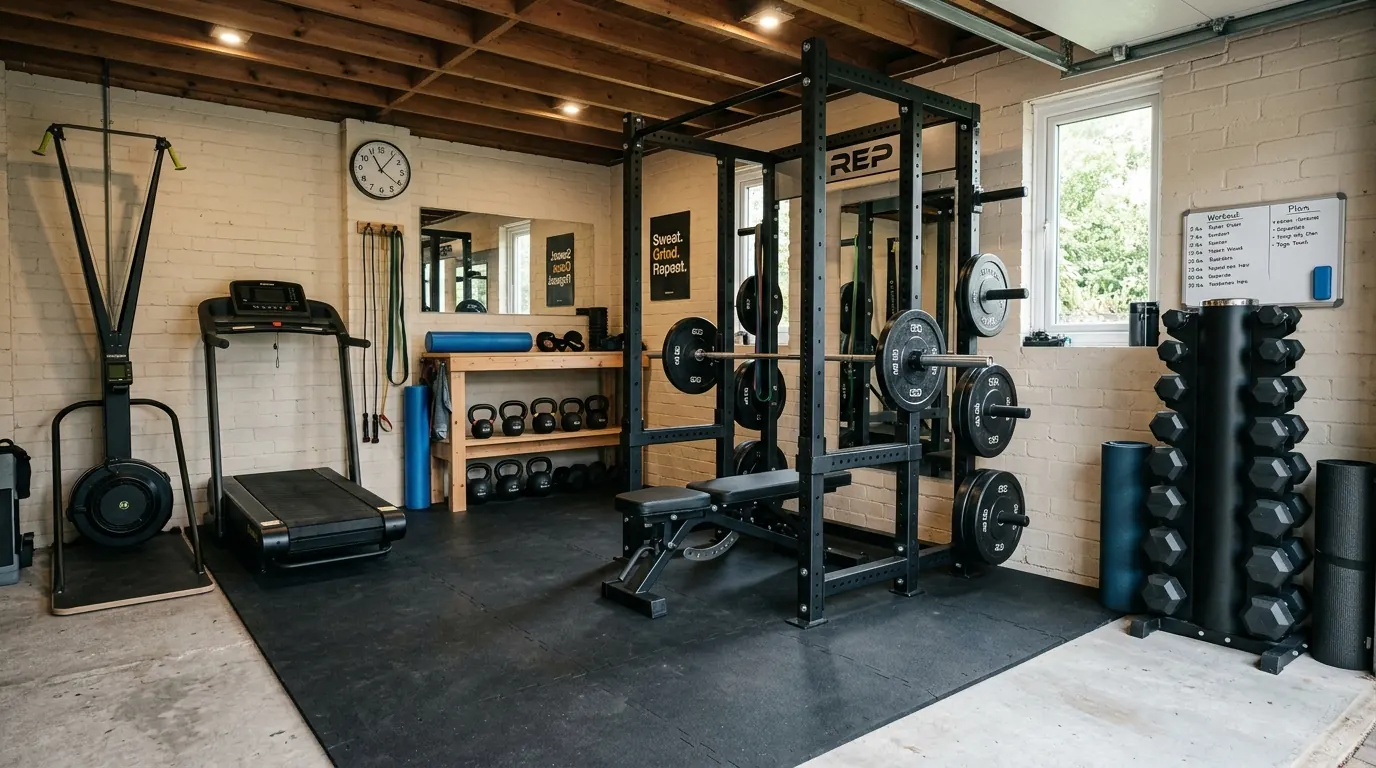
How to Build a Home Gym on Any Budget
Five complete home gym builds at $500, $1,500, $3,500, $7,500, and $15,000 - what to buy first, what to add later, and what to skip at every budget level.
Hilly Shore Labs
Editorial teamThe independent product research team behind GymScored. Every recommendation is researched, never hands-on tested — recommendations draw on manufacturer specifications and available published research. Category order is editorial; the Gym Score is a separate comparison aid.
170 listed products across 26 home gym categories. Scores use category criteria, value and owner-rating inputs; missing evidence limits what a score can tell you.
See the scoring methodology and who we are.
Affiliate disclosure: GymScored is a participant in the Amazon Services LLC Associates Program. We earn from qualifying purchases at no extra cost to you. Full disclosure →